( 01 )
DESCRIBE IT
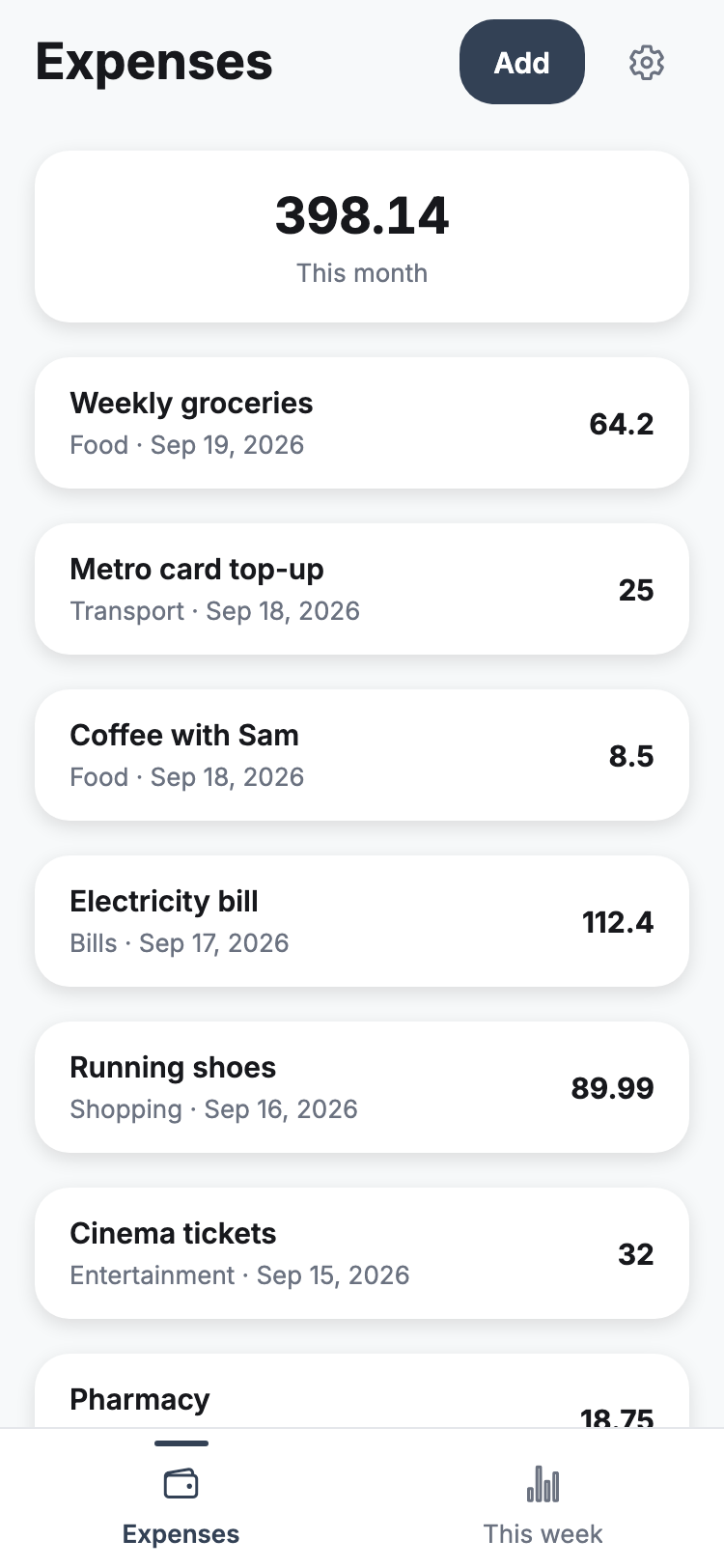
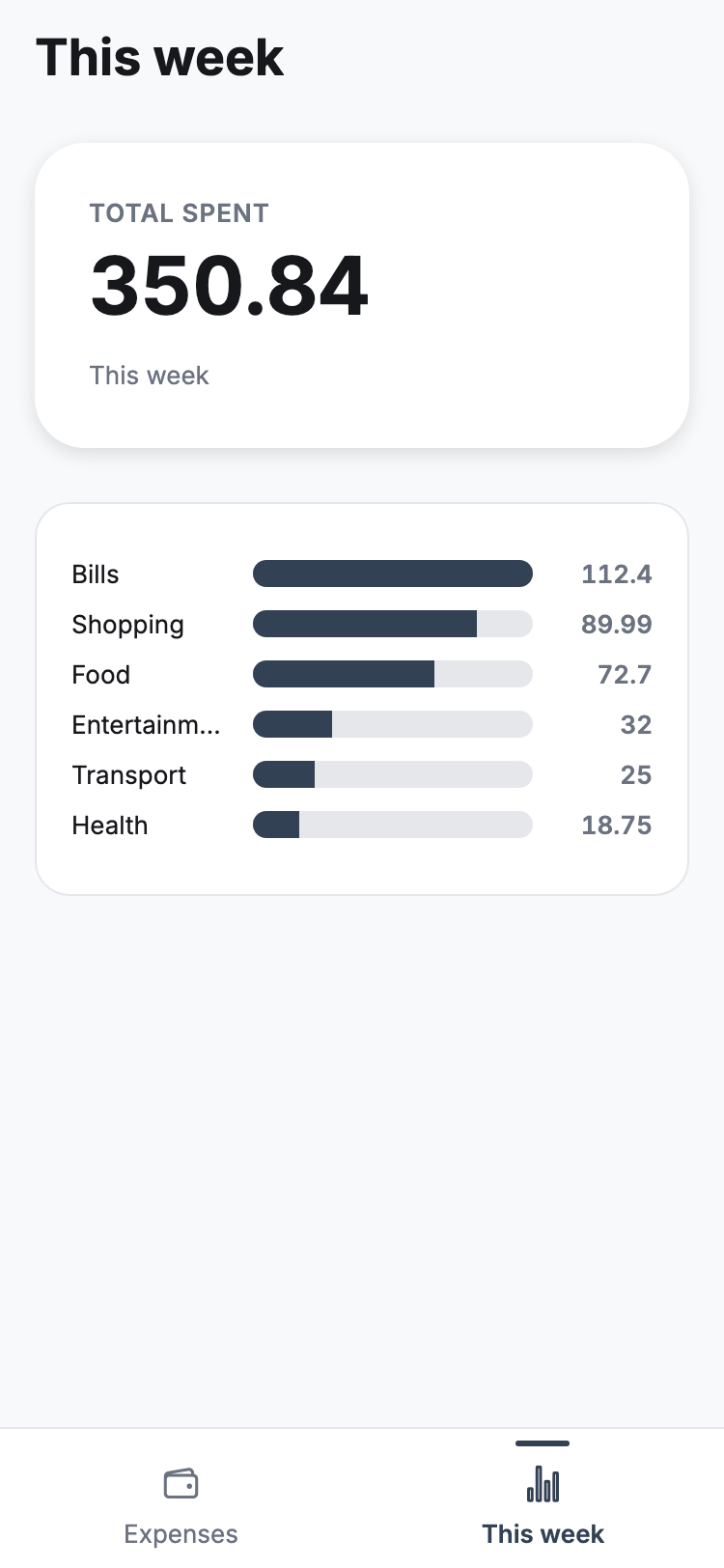
Type what you want in plain words — “an expense log with categories and a monthly total” or “a website for my cafe.” That one message is the whole spec. You can also start from a Figma frame or a Google Stitch screen.
Describe the app or website you want in plain words. Sorvel writes a working iOS & Android app or a React web app, runs it live while it builds, and ships it to the stores or your own domain when you say go.
Type what you want in plain words — “an expense log with categories and a monthly total” or “a website for my cafe.” That one message is the whole spec. You can also start from a Figma frame or a Google Stitch screen.
Sorvel writes real code and runs it as it goes. Scan a QR code and a mobile app opens on your own phone; a web app or website runs in the preview — every change you ask for shows up right there.
Seventeen tools. On sorvel.dev nothing is pasted: your agent opens this site, you approve once — read, write and spending credits are three separate permissions — and you withdraw it from the same page. The desktop app uses one machine token instead. No tool runs shell commands or reveals secrets. Read the MCP docs
No. You describe the app in plain words; Sorvel plans it, writes it, runs it, and fixes it when a build breaks. The generated files sit right next to the preview if you ever want to read them — you never have to.
Yes. Besides iOS and Android apps, Sorvel builds web apps — dashboards, booking tools, CRMs, internal tools — and multi-page websites for a business, studio or portfolio. They are React projects, checked in a real browser after every build and published to a permanent address or your own domain with HTTPS.
You do. Every project is a real Expo codebase in a Git repository. Push it to your own GitHub and take it anywhere — nothing about it is locked to Sorvel.
Yes. You can build right in your browser on sorvel.dev — sign up and describe your app. There is also a desktop app for macOS and Windows, which adds local Android and iOS builds on your own computer. Your account and credits are the same in both.
No. Store builds run on Expo's cloud (EAS), so there is no build machine and no Mac on your side. What you do need is the stores' own accounts: Apple's developer program ($99/year) for the App Store, and the one-time $25 Google Play account for Android.
Same account and credits as the web. The desktop app adds local Android and iOS builds on your own computer.
Free to start · 60 credits on sign-up + 40 on your first publish · no card
a habit tracker: habit list, add new, mark done today, and a streak counter
One click builds the store version and sends it to Google Play — icons, screenshots and listing texts included. A web app or website goes live on a permanent address or your own domain. Updates after launch are one click too.
Not only phones: describe a dashboard, a booking tool or a business website and get a React web app, checked in a real browser and published on your own domain.
Already have a look? Point Sorvel at a Figma frame or a Google Stitch screen and it builds to match.
Save the instructions you repeat — your style, your API docs — once. Sorvel applies them to every generation.
Sorvel is an MCP server, in the desktop app and on sorvel.dev. Claude Code, Cursor, VS Code and Codex can open your projects, edit the code, validate it like Sorvel does and hand bigger work to Sorvel — all from their own chat.
No subscription. Buy credits when you need them, pay nothing for a failed run, and see exactly what every generation cost.
Based on real builds from the last 90 days: an app averages 53 credits, a change 19. You see the estimate before every generation runs.
Every new account starts with 60 free credits — no card — and earns 40 more on the first database connection or publish.
Credits are bought here on the web, in your account — sign in to top up.
Credits, not a subscription. Every new account starts with 60 free credits — no card — and gets 40 more the first time you connect a database or publish. A typical app takes about 53 credits and a change about 19; you see the estimate before a generation runs, and a failed generation is never charged.
Keep talking to it. Every message is another change — a new screen, a different colour, a bug fix — and each one shows up in the live preview. History lists every generation with exactly what it cost.
Same account and credits as the web. The desktop app adds local Android and iOS builds on your own computer.
Free to start · 60 credits on sign-up + 40 on your first publish · no card